ZRA Smart Invoice for Odoo

Smart Invoice,
straight from Odoo.

Connect Odoo to the Zambia Revenue Authority. Submit eligible invoices and POS sales through the Jenacop gateway and review ZRA responses in Odoo and the customer portal.

Smart InvoiceSample submission activity
Invoice INV/0001 Customer invoice · ZMW
  • Posted in OdooCustomer invoice confirmed
  • Sent to the gatewaySubmission recorded
  • Accepted by ZRASample response code 000

Sample receipt

Tax Invoice

Demo Stationery Ltd

1 Demo Lane, Lusaka, Zambia

Supplier TPIN 0000000000 · Branch 000

Invoice no.
INV/0001
Issued
Customer
Sample Office Ltd
Customer TPIN
0000000001
Items · ZMW before VAT
ItemQtyUnitNet
A5 notebook218.0036.00
Desk organiser142.0042.00
Ballpoint pen314.0042.00
Subtotal
120.00
VAT (A · 16%)
19.20
Total incl. VAT
ZMW 139.20
Payment
Cash

SDC information

SDC ID
SDC-DEMO-0001
SDC date and time
Invoice type
Normal sale
Internal data
DEMO-INTERNAL-0001
Receipt signature
DEMO-SIGNATURE-0001
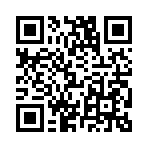
QR code containing demo receipt text
Demo QR codePowered by Smart Invoice

From invoice to confirmation

Accounting and POS

Review submission status and the ZRA invoice number in Odoo. Include SDC details and a verification QR code on fiscal documents.

Companies and branches

Sync registered gateway branches, select the branch for each POS register and configure Smart Invoice per enabled company.

Activity and billing

Review submission activity, subscription details and payment history in the customer portal.